
Apps About Support Privacy

APK Aktarım
Install APK files from your PC to your phone

Transfer APK, APKS, XAPK and APKM files from your Windows PC to your Android™ phone over USB and install them safely after a version check. Free, ad-free and collects no personal data.
Version 3.2.0 · 67 MB · No installation, single file
SHA-256: 197402eda2b8b003c75ce6d99937a1488855fd2787b6793d916d75b3673274cd

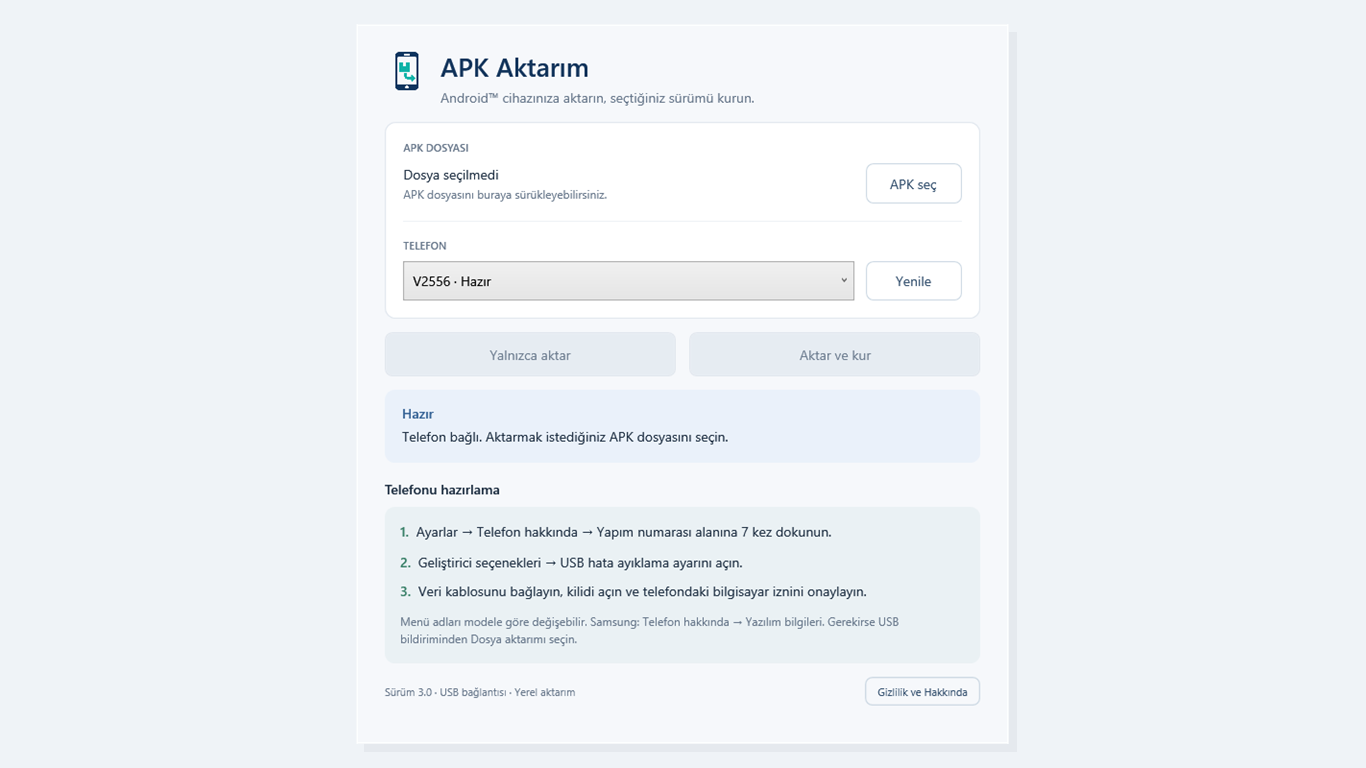
APK Aktarım main screen: APK selection, connected phone and Transfer and install button
File selection, the connected phone and phone setup steps on a single screen.

A safe, simple way to install APKs

No Android Studio, no command line and no risk to the data on your phone.

APKS, XAPK and APKM support

Opens split packages and installs, in one go, the parts that match your phone's CPU architecture, language and screen.

OBB data files

Automatically copies the OBB files of XAPK games to the right folder after installation.

Version check

The package name and version are read offline from the file; a new install, upgrade, reinstall or downgrade is shown before anything happens.

Your data stays safe

Compatible apps are updated without losing data. On a signature mismatch, every step that could cause data loss needs your explicit approval.

Automatic phone detection

A connected phone appears in the list within seconds; transfer progress is measured from the real file size.

Privacy first

No account, no ads, no analytics. Everything runs on your PC; your files are never sent to any server.

How to install an APK from your PC to your phone

1

Enable developer options

On your phone, go to Settings → About phone and tap Build number 7 times. On Samsung phones it is under Software information.

2

Turn on USB debugging and connect

Turn on USB debugging in Developer options, connect the phone with a data cable and accept the computer authorization prompt on the phone.

3

Approve ADB on first launch

If ADB is not on your PC, the app downloads Google's Platform-Tools directly from Google with your consent (about 8 MB) and verifies its signature.

4

Choose the file and install

Select an APK, APKS, XAPK or APKM file or drag it into the window, pick your phone and press Aktar ve kur (Transfer and install).

About APK Aktarım

Yes. It is completely free, with no ads, subscriptions or in-app purchases, and it needs no account.
Enable developer options and USB debugging on your phone, connect it with a USB cable, select the file in APK Aktarım and press Aktar ve kur (Transfer and install). The app copies the file to the phone and installs it.
Select the file just like a normal APK. APK Aktarım opens the package, verifies that all parts belong to the same app, installs the parts that fit your phone together and copies any OBB files. Encrypted APKM files are not supported.
No. Compatible apps are updated with their data kept. If a version with a different signature can only be installed by removing the old app, the possible data loss is shown first and no app is removed without your explicit approval.
This SmartScreen warning appears for new apps that are not yet widely downloaded. Compare the file's SHA-256 value with the one on this page, then open it with More info → Run anyway.
No. If a Google-signed ADB is already on your PC it is used; otherwise the app downloads Platform-Tools directly from Google once you accept Google's license terms. This component is not distributed with the app.
No. APK Aktarım is a single EXE file and needs no installation. Downloaded ADB components are stored in your user folder (%LOCALAPPDATA%\APK-Aktarim).